Structured notes or a Library you revisit through a feed

Grasply vs RemNote

Both apps connect saved knowledge with studying. RemNote brings note-taking and flashcards into a structured workspace; Grasply starts with the material you capture and helps you ask, quiz, and return to it.

Try your next topic in Grasply.

Free mobile app · No paywall · Up to 30 flashcards per topic

Choose Grasply for…

Choose Grasply if your starting point is a mix of book scans, PDFs, notes, and recordings, and you want to organize them and revisit their ideas through a personal Feed.

Choose RemNote for…

Choose RemNote if your study system depends on structured notes, PDF annotation, image occlusion, and tools such as an exam scheduler. Its free plan already includes unlimited notes and flashcards.[1][2]

What you get, and where the limits are.

Compare the features you will actually use. Free study access, AI processing allowances, and the number of cards in a session are different measures.

Free access and feature comparison, reviewed September 11, 2026
What mattersGrasplyRemNote
Free accessFree to use with no paywall. Generate up to 30 flashcards per topic; this is a per-topic card count, not a promise of unlimited usage.Unlimited notes, flashcards, and synced devices. The free plan also has specific allowances for annotated PDFs, image occlusion, and AI credits.[1]
AI generationCreate from prompts, PDFs, notes, books, images, or audio. Choose the web or your saved Library as the source.AI cards and quizzes, tutor chat, image-to-text conversion, and audio transcription are available within plan-specific credit allowances.[1]
PDFs & visual studySave a PDF or book scan and generate questions from selected material. Keep highlights and notes in your Library.PDF annotation and image occlusion are explicit study tools. Free allowances are smaller; Pro plans expand access.[1]
Organize knowledgeFolders, editable folder descriptions, tags, highlights, favorites, and types for PDFs, notes, images, links, and audio.A note-taking and flashcard workspace with features such as tables, templates, aliases, and knowledge bases; allowances vary by plan.[1]
Review & goalsRemember Mode revisits selected material, missed cards, and weak concepts. Explore Mode follows connected topics.Study flashcards and use exam-planning tools. The pricing page distinguishes free exam-scheduler allowances from Pro access.[1]
AudioRecord or upload audio, save its transcript, chat with it, and generate a quiz.Lecture recording and AI audio transcription are part of its documented learning tools; AI use draws on the relevant allowance.[1]

On a small screen, scroll the table sideways. Sources describe the plans and platforms available on the review date; check the linked details before choosing.

From your first source to your next review.

The app you keep using is the one that fits the way you collect, study, and return to knowledge.

Capture, organize, generate, study, and revisit
Your next stepIn GrasplyIn RemNote
1. CaptureSave a source directly or use your camera and recorder.Create notes or add documents to your study workspace.[1]
2. OrganizeLet AI help organize source items with folders, types, and tags.Structure notes using the workspace tools available on your plan.[1]
3. GenerateChoose a source or topic and make a focused quiz.Create flashcards or use AI generation within your credit allowance.[1]
4. StudyUse Learn, Test, or Discover and three question formats.Study flashcards and use tools such as PDF annotation and image occlusion.[1]
5. RevisitUse Remember Mode with selected sources or Explore a connected subject.Return to your notes, flashcards, and exam-planning workspace.[1]

How you might use Grasply

Two examples, starting with your own material.

Exams & coursework

Turn a law outline into a review session

Start with: Your course outline and notes comparing legal frameworks.

  1. Save the outline and related notes in a course folder.
  2. Generate questions from the distinctions you need to explain.
  3. Check explanations against the course material and revisit weak concepts.

RemNote may suit you better when authoring a detailed, structured outline is the center of your study process.

Everyday learning

Keep reading highlights connected to their sources

Start with: Book passages, copied highlights, and personal notes.

  1. Save the material with tags and highlights.
  2. Ask the Library to help clarify a connection.
  3. Create a short quiz and bring those ideas into Remember Mode.

A useful fit when saving and revisiting matter more to you than designing a detailed note structure.

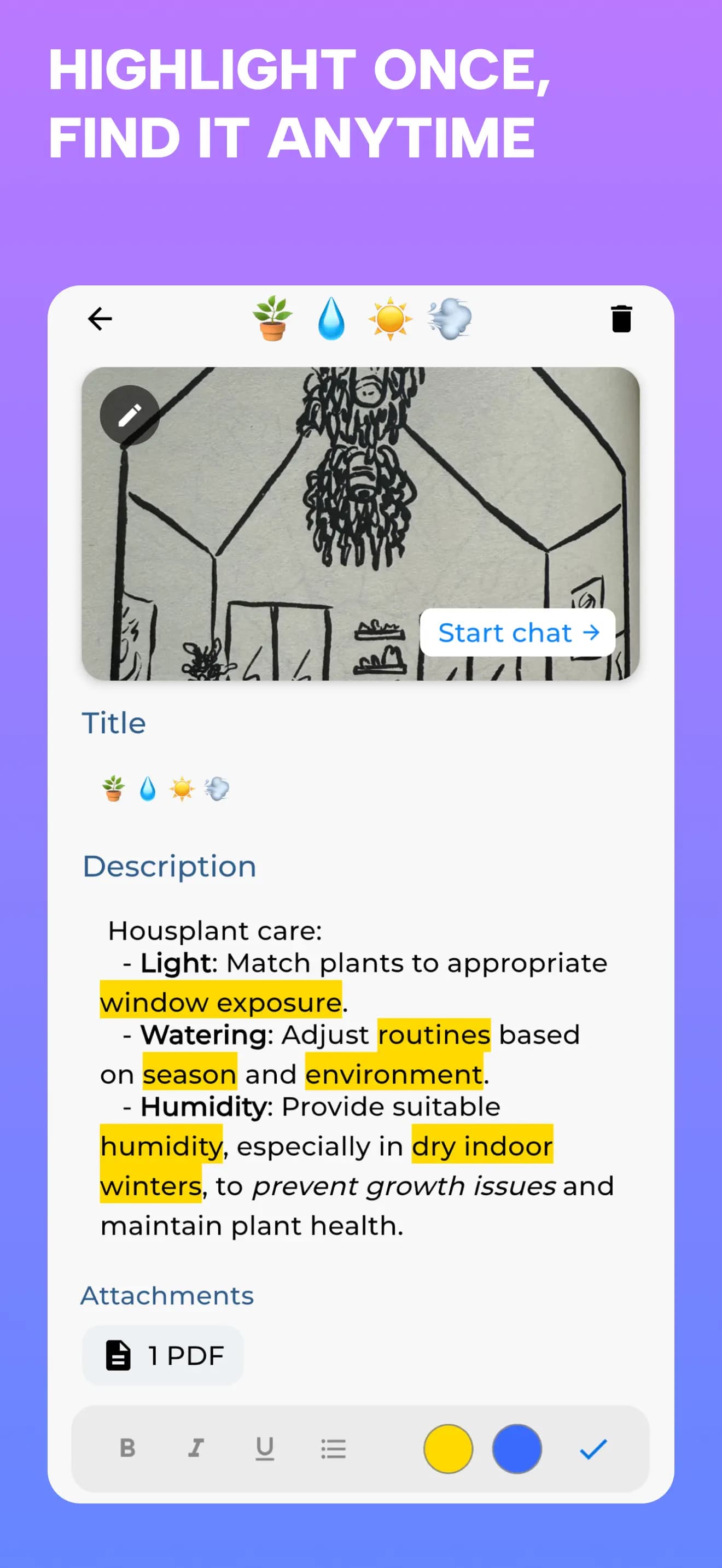
A saved plant-care note with highlights and an attached PDF
Save useful passages with highlights and source material.
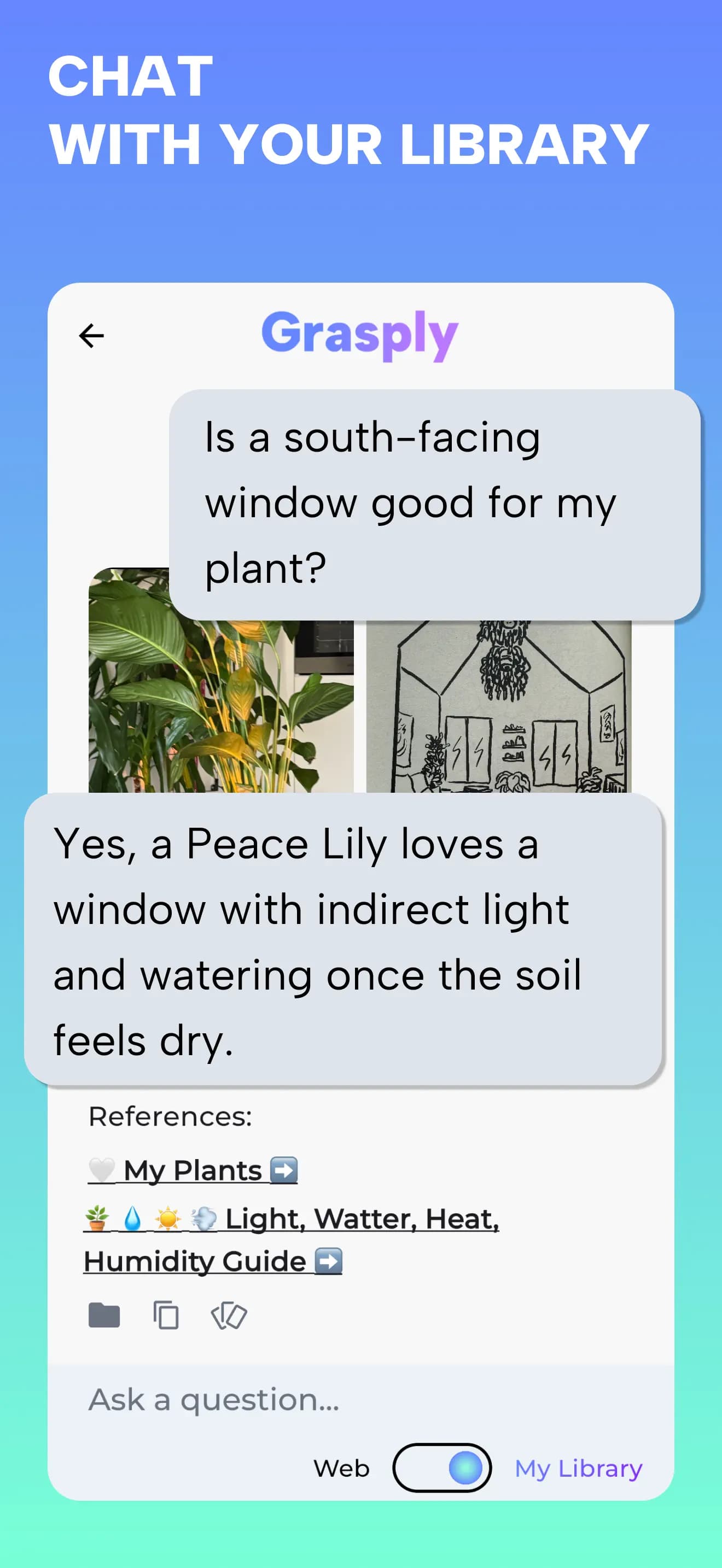
Chatting with saved library materials about caring for a Peace Lily
Ask questions grounded in the knowledge you have saved.

Actual Grasply iPhone screens. Example workflows describe ways to use your own sources.

Try your next topic in Grasply.

Free mobile app · No paywall · Up to 30 flashcards per topic

Before you choose.

Does RemNote have a free plan?

Yes. Its free plan includes unlimited notes and flashcards, with allowances for AI and other tools. The distinction is not free versus paid: compare the specific workflow and allowances you need.[1]

Which app should I choose for annotated PDFs or image occlusion?

RemNote explicitly offers PDF annotation and image occlusion, with allowances by plan. Grasply’s workflow here is saving a source and generating quizzes from it; this comparison does not promise the same annotation or occlusion tools.[1]

Can I bring my existing notes into Grasply?

Use your original notes, PDFs, images, or recordings as source material. Adding those sources does not transfer a RemNote workspace, its structure, or review history.

Is Grasply free, and what does the 30-card limit mean?

Free to use with no paywall. Generate up to 30 flashcards per topic; this is a per-topic card count, not a promise of unlimited usage.

Can I study in another language?

Grasply supports learning content in more than 20 languages, including bilingual sessions and audio playback. This describes study content, not a promise that every app menu is translated.

What works offline?

Saved Library material remains available offline. AI generation, transcription, chat, and web-backed features need a connection. Library synchronization is supported between iPhone and iPad.

Can I start with my own material instead of a web topic?

Yes. Save a PDF, note, image, book scan, or recording in your Library and choose that material as the source for a quiz. Review the explanation and check important answers against your source.

Sources & review notes.

This comparison is published by Grasply. Competitor details come from the official sources below, reviewed on September 11, 2026. This is a documented feature comparison, not a timed performance test or a claim that one app is best for everyone.

  1. RemNote: free allowances, Pro tools, and AI credits
  2. RemNote: plan and payment questions

Grasply feature references: features, Daily Learning Feed, and Second Brain Library.

Try Grasply with something you care about.

Bring one set of notes, a book passage, or a recording. Make a quiz and see whether the experience suits you.

Try your next topic in Grasply.

Free mobile app · No paywall · Up to 30 flashcards per topic