Record or upload
Capture a lecture, tutorial, voice note, interview, or explanation in the language being spoken.
Work through the lecture at your own pace. Read the transcript, ask about the part that went too fast, and make a quiz when you're ready to review.
Use this tool inside the Grasply app for iPhone, iPad, or Android.
Record or import · Transcribe · Save · Chat · Generate flashcards
Lecture transcript
European History — Week 6.m4a
The Estates-General opened in May 1789 amid a fiscal crisis.
The Third Estate later declared itself the National Assembly.
The Third Estate declared itself the National ___.
Start with a recording you already have or record in Grasply. Once you have the transcript, ask about an explanation that was hard to follow. Make flashcards from the text to practice before your next class.
How it works
Capture a lecture, tutorial, voice note, interview, or explanation in the language being spoken.
Store the readable transcript in your Library so the recording becomes searchable knowledge.
Chat with the recording to clarify a section, then create flashcards from its transcript.
Example questions
These questions revisit the dates and events in the transcript excerpt above.
Answer: Assembly
Answer: A fiscal crisis.
Answer: Yes.
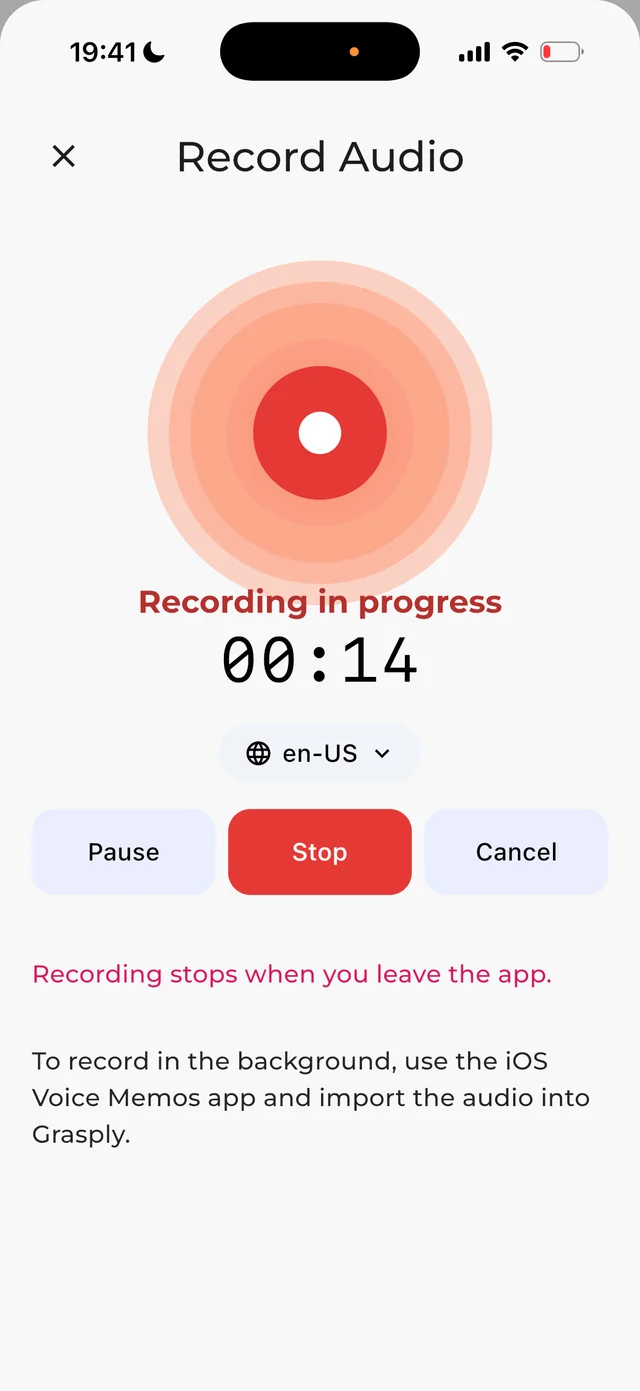
Grasply app screenshot.
In the app
Save a recording and its transcript in your Library. Read it, ask about a section, or choose it as the source for flashcards.
Read the release notesSave the transcript in your Library so you can read, search, and ask about it.
Ask about the difficult section without searching your entire Library.
Use audio playback and Auto-Play when listening fits better than tapping.
Yes. You can import audio or record a new lecture directly in Grasply.
Yes. The transcription can be stored in your Library for search, chat, and later study.
Yes. Open the saved recording and chat with that item rather than the whole Library.
Yes. Generate Multiple Choice, Yes / No, and Fill in the Blank questions.
For background recording on iPhone, use Voice Memos and import the finished audio into Grasply.
Record the next explanation, save the transcript, and turn its key ideas into questions.